"Cinelerra is a professional video editing and compositing software. It is designed for the GNU/Linux operating system. It is produced by Heroine Virtual, and is free software distributed under the GNU General Public License. Cinelerra also includes a video compositing engine, allowing the user to perform advanced compositing operations such as keying and mattes."
http://cinelerra.org/
Looking for software that is free for students to install on any computer they have access to? I started this blog because I believe that all students and teachers should be able to use software for learning regardless of their ability to pay software licence fees. Open source software = community-owned software.
Showing posts with label video editing. Show all posts
Wednesday, November 13, 2013
Sunday, October 13, 2013
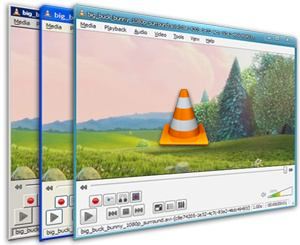
VLC | Media Player
This is the Swiss Army Knife of video players. It will play just about anything you can throw at it:
"Simple, fast and powerful media player:
- Plays everything: Files, Discs, Webcams, Devices and Streams.
- Plays most codecs with no codec packs needed:
- MPEG-2, DivX, H.264, MKV, WebM, WMV, MP3...
- Runs on all platforms: Windows, Linux, Mac OS X, Unix...
- Completely Free, 0 spyware, 0 ads and no user tracking.
- Can do media conversion and streaming."
Sunday, September 29, 2013
Editshare Lightworks | High-end open source video editing
"Some of the finest films of the past 20 years have been edited with Lightworks. We’re proud of its heritage and we want to share it with you… for free. Discover why Oscar-winning editors across the world use it every day. Lightworks is the fastest, most accessible and focused NLE in the industry, because it is based on the simple idea that the editor, not the computer industry, knows what’s best. The latest release of Lightworks is based on the cumulative knowledge from twenty years of top-flight editing." (Link)
Tuesday, June 12, 2012
Open Source Video Editing
This year promises to be a big year for open source video editors. For a long time open source video editing has been the poor cousin to graphic design's Gimp, Scribus and Inkscape, but that's about to change. Firstly Lightworks is currently available in beta for Windows with OSX and Linux versions coming soon:
In addition to these heavyweights, there are always the old faithfuls: Openshotvideo and PiTiVi
"Lightworks is the fastest, most accessible and focused NLE in the industry, because it is based on the simple idea that the editor, not the computer industry, knows what’s best. The latest release of Lightworks is based on the cumulative knowledge from twenty years of top-flight editing.
At the same time,, the Ubuntu version of Novacut has just been released. The quantum leap that Novacut makes is that it offers realtime collaboration. This feature alone has the potential to completely change the way we think about editing. As Christie Strong says on the Novacut blog:
"Novacut is not just a video editor, it's a revolution. An open source, collaborative, cloud-enabled platform that is created by artists for artists. The ambitiousness of the project, the passion of it's team and their commitment to the filmmaking community inspires me. They are thinking about the entire pre- to post-production pipeline and designing tools that empower storytellers and support the creative process from the ground up. If this is the future of filmmaking, sign me up!"http://blog.novacut.com/
In addition to these heavyweights, there are always the old faithfuls: Openshotvideo and PiTiVi
Wednesday, October 26, 2011
Open source collaborative video editing
As December gets closer, I'm getting excited about this beauty landing in my stocking. For a long time, video editing has been less than spectacular on Linux, but with the release of Lightworks in December, that's about to change. A previously proprietary application, on which The King's Speech, Martin Scorsese's The Departed, Mission Impossible, Pulp Fiction, Braveheart and Batman were edited, Lightworks is a stunning product that is being open sourced. It's not for beginners, but if you know what you're doing this will have you nominated for the best picture category in no time.
As well as offering all of the features one would expect from a non-linear video editor, "Multiple users can work on the same Lightworks Project at the same time, collaborating on edits with fast, intuitive user permission controls." This is the real potential of video editing and something that is long overdue. Linux release 19th December 2011
http://www.lightworksbeta.com/
Thursday, September 8, 2011
SlowMo Video
Saw this over at OMG! Ubuntu:
SlowMoVideo might just be my favourite video-manipulation tool available for Linux: the effects it can create from even the simplest of footage is amazing.
Hyperbole over, on to the facts.
SlowMoVideo is a Qt4 application designed for intelligently slowing down video clips.
Rather than achieve this by ’time stretching’ your footage, as most video editors do, SlowMoVideo allows you to “smoothly slow down and speed up your footage” with the option to apply motion blur for an added fluidity of image.
Hyperbole over, on to the facts.
SlowMoVideo is a Qt4 application designed for intelligently slowing down video clips.
Rather than achieve this by ’time stretching’ your footage, as most video editors do, SlowMoVideo allows you to “smoothly slow down and speed up your footage” with the option to apply motion blur for an added fluidity of image.
Sunday, August 22, 2010
Cool tricks with Openshot video

I've known about Openshotvideo for a while, but for some reason, I hadn't really put it through its paces. I don't know why, but I didn't think it was very full featured. How wrong I was!!! I spent a couple of hours in the weekend playing with Openshot and found it very intuitive and full-featured: titles, effects, transitions, even chroma keying is easy to use straight out of the box. I've put the video below together from footage of my little son William. Note the 'four square' layout that allows picture in picture. I'd love to say that was really difficult and beginners shouldn't really try it, but actually, all you have to do is right click on a clip and choose 'top left' or 'bottom right'. Easy as pie. Something I didn't put into this video was animations; if you want a clip to slide across the screen and out the other side, there's a preset for that too. Clips zooming in and out? One click. In fact, the only thing lacking from Openshotvideo is support for free video codecs (ogv in particular). It was a bit of a shame that using open software, my own footage and Creative Commons licenced music, I had to export to a proprietary video format. But hey, I'm not complaining: Openshot video is my new best friend.
William aged 1-6 mths from Mark Osborne on Vimeo.
Subscribe to:
Posts (Atom)