"Cinelerra is a professional video editing and compositing software. It is designed for the GNU/Linux operating system. It is produced by Heroine Virtual, and is free software distributed under the GNU General Public License. Cinelerra also includes a video compositing engine, allowing the user to perform advanced compositing operations such as keying and mattes."
http://cinelerra.org/
Looking for software that is free for students to install on any computer they have access to? I started this blog because I believe that all students and teachers should be able to use software for learning regardless of their ability to pay software licence fees. Open source software = community-owned software.
Showing posts with label Media Studies. Show all posts
Wednesday, November 13, 2013
Tuesday, October 15, 2013
Mahara | ePortfolios
Mahara is an open source ePortfolio and social networking web application originally created by the government of New Zealand. It provides users with tools to create and maintain a digital portfolio of their learning, and social networking features to allow users to interact with each other.
Mahara content management system provides users with blogs, a resume builder, a file manager and a view creator - a tool to help users create arrangements of their content in a particular way for others to see.
The eportfolio site http://myportfolio.school.nz, provided by the New Zealand Ministry of Education, free-of-charge for all New Zealand schools, is powered by Mahara
Labels:
Biology,
Classical Studies,
Commerce,
Dance,
Design,
Drama,
English,
Languages,
Mathematics,
Media Studies,
music,
Painting,
Photography,
Physical Education,
Sculpture,
Social Studies
Sunday, October 13, 2013
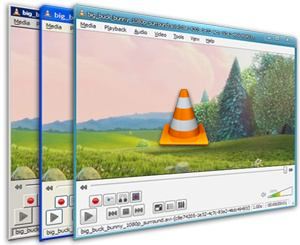
VLC | Media Player
This is the Swiss Army Knife of video players. It will play just about anything you can throw at it:
"Simple, fast and powerful media player:
- Plays everything: Files, Discs, Webcams, Devices and Streams.
- Plays most codecs with no codec packs needed:
- MPEG-2, DivX, H.264, MKV, WebM, WMV, MP3...
- Runs on all platforms: Windows, Linux, Mac OS X, Unix...
- Completely Free, 0 spyware, 0 ads and no user tracking.
- Can do media conversion and streaming."
Sunday, October 6, 2013
Scribus | Desktop Publishing
Easy-to-use, powerful desktop publishing that allows people to produce professional-quality brochures, magazine layouts, newspapers, advertisements etc. easily from just about any computer.
"Scribus is an Open Source program that brings professional page layout and desktop publishing to Linux, Mac OS X, and Windows with a combination of press-ready output and new approaches to page design.
Underneath a modern and user-friendly interface, Scribus supports professional publishing features, such as color separations, CMYK and spot colors, ICC color management, and versatile PDF creation." (Link)
Sunday, September 29, 2013
Editshare Lightworks | High-end open source video editing
"Some of the finest films of the past 20 years have been edited with Lightworks. We’re proud of its heritage and we want to share it with you… for free. Discover why Oscar-winning editors across the world use it every day. Lightworks is the fastest, most accessible and focused NLE in the industry, because it is based on the simple idea that the editor, not the computer industry, knows what’s best. The latest release of Lightworks is based on the cumulative knowledge from twenty years of top-flight editing." (Link)
Tuesday, July 10, 2012
Unity3D embraces Linux
Each Wednesday at our school students get to choose what they study. It's called an impact project and students work with teachers and mentors from the community to learn deeply and make the world a better place. Our school's contribution to the world is to help students see opportunities, innovate, be creative and become entrepreneurs. It's an awesome day to be a teachers and it's equally awesome to see what students are capable of when they are put in charge of their own learning.
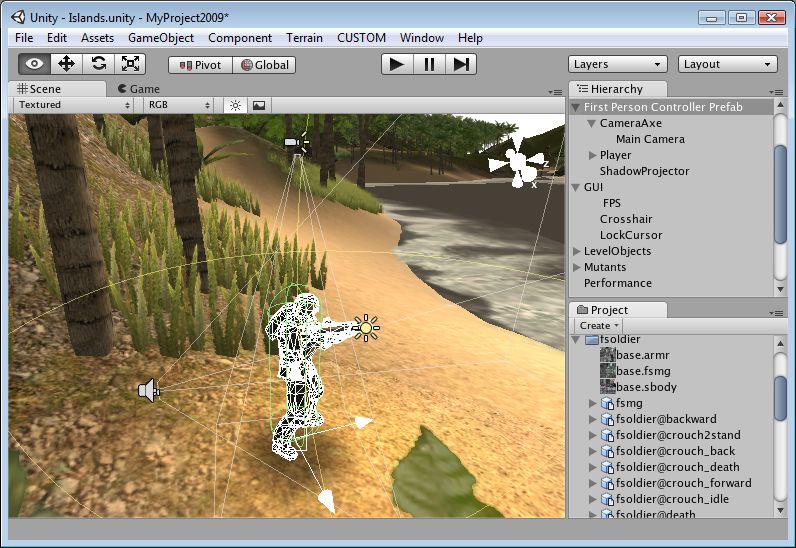
A lot of students choose to build their own computer games, and a lot of them use Unity3D as their game development engine. It's an awesome open source engine that helps developers get up and running quickly. So I was pretty excited to see that the next release will export native Linux games: http://unity3d.com/?overview
So, yeah, I'm pretty excited.
A lot of students choose to build their own computer games, and a lot of them use Unity3D as their game development engine. It's an awesome open source engine that helps developers get up and running quickly. So I was pretty excited to see that the next release will export native Linux games: http://unity3d.com/?overview
So, yeah, I'm pretty excited.
Tuesday, June 12, 2012
Open Source Video Editing
This year promises to be a big year for open source video editors. For a long time open source video editing has been the poor cousin to graphic design's Gimp, Scribus and Inkscape, but that's about to change. Firstly Lightworks is currently available in beta for Windows with OSX and Linux versions coming soon:
In addition to these heavyweights, there are always the old faithfuls: Openshotvideo and PiTiVi
"Lightworks is the fastest, most accessible and focused NLE in the industry, because it is based on the simple idea that the editor, not the computer industry, knows what’s best. The latest release of Lightworks is based on the cumulative knowledge from twenty years of top-flight editing.
At the same time,, the Ubuntu version of Novacut has just been released. The quantum leap that Novacut makes is that it offers realtime collaboration. This feature alone has the potential to completely change the way we think about editing. As Christie Strong says on the Novacut blog:
"Novacut is not just a video editor, it's a revolution. An open source, collaborative, cloud-enabled platform that is created by artists for artists. The ambitiousness of the project, the passion of it's team and their commitment to the filmmaking community inspires me. They are thinking about the entire pre- to post-production pipeline and designing tools that empower storytellers and support the creative process from the ground up. If this is the future of filmmaking, sign me up!"http://blog.novacut.com/
In addition to these heavyweights, there are always the old faithfuls: Openshotvideo and PiTiVi
Friday, August 12, 2011
Video conversion tools
My knowledge of video types and codecs has been hard-fought. I'm certainly no expert but I do know my containers from my bitrates and my framerates. Sadly it's not always easy for people to quickly resize a video or convert from one form to another without knowing more than you need to about variable bitrates or HD. To the rescue come a range of different open source video conversion tools:
While we're at it, can I also say how impressed I am with Google's open source video codec called webm? Try it for yourself with Arista: convert a large DVD quality file to webm and see what a difference it makes. I've had file size savings of up to 90%.
- Avidemux: gives you the best of both worlds with the ability to control bitrates, codecs, filters and so on, but also has a handy 'Auto > ' feature that automates the creation of video for things like Youtube, iPod, DVD etc.
- Arista Transcoder: The best, easiest to use transcoder I've seen. Presets take the hard work out of conversion, and there are a lot of presets.
- PiTiVi: this is a video editor that also supports exporting to a range of different file formats. Easy to use trim feature, transitions and effects and pretty simple export at the end of the process too.
While we're at it, can I also say how impressed I am with Google's open source video codec called webm? Try it for yourself with Arista: convert a large DVD quality file to webm and see what a difference it makes. I've had file size savings of up to 90%.
Friday, April 9, 2010
Kollaborative Video Editing
When I first heard about Kaltura, I refused to believe my ears. I remember thinking "There is no way that someone can make an online video editor that lets different people upload different pieces of footage into a single project and edit it asynchronously. Impossible." thankfully my curiosity got the better of me and I clicked on the link and had a play around. It's literally what is says on the box: if you've got some footage and I've got some footage we can both upload it to the same project and edit it into something greater than the sum of our parts. The editing process is just like the wiki process: pendulum swings that eventually arrive at a middle ground: if you think we should chop the first 10 seconds off and I think we should keep it in, we discuss it on the discussion page of the wiki and eventually agree to a compromise. You can add titles, audio, transitions and still clips like any decent video editor. It's quite amazing technology and it's really easy to set up on a range of different platforms; it has plugins for Wordpress, Joomla, Moodle, Drupal and Mediawiki so it's ready to drop into your site.
A project the Head of Maths at Albany Senior High and I are working on is a living textbook for maths that allows students to film and upload different ways of solving equations using Kaltura. Here's a very rough working prototype of what we've got in mind. (See if you can spot the LaTeX on the page; something Wikieducator handles perfectly.)
Subscribe to:
Posts (Atom)