Showing posts with label 3D modelling. Show all posts

Tuesday, July 10, 2012

Unity3D embraces Linux

Each Wednesday at our school students get to choose what they study. It's called an impact project and students work with teachers and mentors from the community to learn deeply and make the world a better place. Our school's contribution to the world is to help students see opportunities, innovate, be creative and become entrepreneurs. It's an awesome day to be a teachers and it's equally awesome to see what students are capable of when they are put in charge of their own learning.

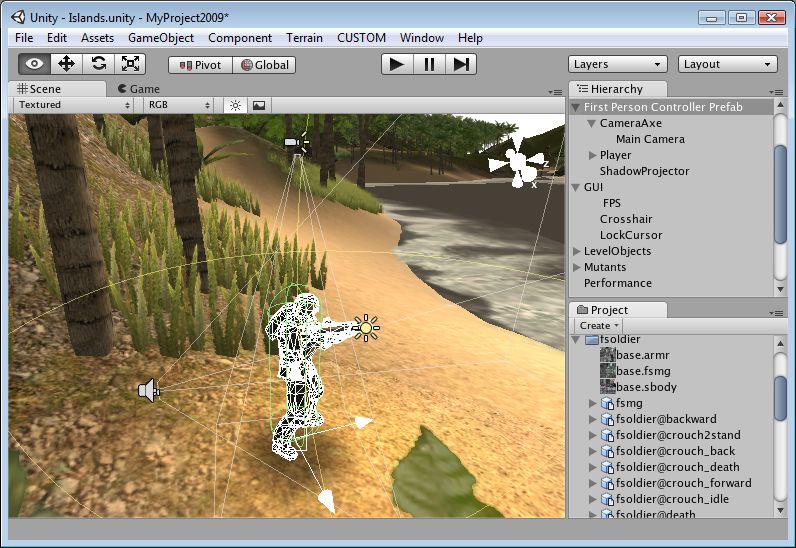
A lot of students choose to build their own computer games, and a lot of them use Unity3D as their game development engine. It's an awesome open source engine that helps developers get up and running quickly. So I was pretty excited to see that the next release will export native Linux games: http://unity3d.com/?overview

So, yeah, I'm pretty excited.

Wednesday, November 2, 2011

Making ideas real

From The Official Google Blog:

"For the past decade, legions of Google SketchUp users have been quietly shaping the world around us. Two million professionals and hobbyists use this 3D modeling tool every week to design everything under the sun, including houses, room layouts, movie sets, aquariums, bridges, robots and furniture. They even rebuild cities. Chances are, even if you haven’t tried SketchUp yourself, you’ve witnessed, touched or walked inside something created by a SketchUp user. "

Tuesday, August 30, 2011

Draftsight: free CAD software

Good quality open source free CAD software has been difficult to find in the past, but earlier this year 3DS released Draftsight, a product that comes close to industry heavyweight AutoCAD.
"DraftSight is a professional-grade, open 2D CAD product for users who want a better way to create, edit and view DWG files. DraftSight is easy to use and is available for professional CAD users, students and educators to download and activate for free."

It supports DWG files so even if you just want to open AutoCAD files to view, Draftsight can do it.

Saturday, August 6, 2011

Open Source Physics: Tracker

I discovered this neat tool when learning about the physics of Angry Birds. Not only does Tracker identify and track objects frame-by-frame through a video, it also records and graphs this data for you. It comes with quite a few experiments installed and, in the hands of a good Physics teacher, would form the centre of a very interactive unit on motion and movement. I can imagine students the world around grabbing their cellphones to record video of all manner of objects 'bouncing'. Hmmm. Does my glass of chocolate milk fall at the same rate as a bowl of noodles?
It's an easy-to-use tool that allows students to become better askers of questions and designers of experiments instead of becoming better memorisers of someone else's data.

Saturday, July 30, 2011

World Wind: Open Source Google Earth?


World Wind is by no means as full-featured as Google Earth, but if you just want to play Atlas and spin the world around, it's a good option. To install under Linux, look for worldwind in the software channels, but the java version of the software runs on any platform. Best thing about it is that the software is open source and the imagery is not owned and copyrighted by [insert giant corporation here]. There are some nice Java webstart demos here too: http://worldwind.arc.nasa.gov/java/demos/ showing things like loading .kml files, mapping elevations, annotations, geo-mapped photos, earthquake information etc.

Thursday, April 7, 2011

Fast contact sheets for photos

Fast post this one: if you want to print contact sheets of a whole bunch of photos, do it using GQView. You can customise every aspect of the print job, from the labels printed underneath each image to the layout and rotation of thumbnails.

Tuesday, April 5, 2011

Use the forks Luke!

Luke Skywalker: These chopsticks are driving me nuts!
Darth Vader: Use the forks Luke, use the forks.

A few big forks in the open source world: OpenOffice.org has become LibreOffice and Open Solaris has become Open Indiana. I've installed Libreoffice and have been quite impressed with it. For one thing, mail merges work perfectly (something I've always struggled with in Open Office) as well as a few other nice touches.
But perhaps the most interesting thing about these forks is that their presence reminds us that no large company can ever control an open source project. As soon as Oracle began putting noses out of joint over their handling of Sun's open source assets, the community just up and left, taking its goodwill with it. A cautionary tale for quite a few companies I would have thought.
Friday, March 25, 2011

Music composition and notation

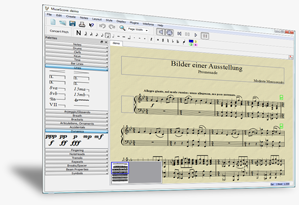
While I'm tone deaf and struggle to hold a note, I do appreciate well-composed, beautiful music. In the past the only high-end music composition package I've been aware of has been Sibelius, but at more than NZ$1000 a seat it's too expensive to have large groups of students discovering if they are the next Douglas Lilburn or Dave Dobbyn or not. Even if the school could afford it, shelling out another NZ$1000 to be able to tinker at home in the basement is just too much of a barrier for most students. Which is why I'm thrilled to have discovered Musescore. It's open source, multi-platform and powerful enough to meet the needs of even the most intricate of compositions. What did we do with the money we saved in software licences? We bought 18 new desktop computers to allow even more students to see if they've got a gift for song-writing.
...and as with most open source projects, free software means a large user base and a large community offering support and producing help documentation. Here's Musescore in 10 easy steps.

Friday, April 30, 2010

Yo Frankie!

One of the most high-powered, full-featured open source applications is Blender 3D. It's an incredibly powerful 3D modelling application that has been used to make short films like Big Buck Bunny and Elephant's Dream. So what do all those 3D characters do after their film careers end? They get jobs in computer gaming. Using all of the models and landscapes from Big Buck Bunny, the blender community has created Yo Frankie!, a 3D game with very impressive graphics, that is free for anyone to download and play.

Thursday, February 18, 2010

Create panoramic images

I stumbled across this application via the http://libregraphicsmeeting.org/

"Goal: an easy to use cross-platform panoramic imaging toolchain based on Panorama Tools.

With Hugin you can assemble a mosaic of photographs into a complete immersive panorama, stitch any series of overlapping pictures and much more."

Sunday, February 7, 2010

Open Clip Art

If you're going to use Clip Art, you might as well make it open... "This project aims to create an archive of user contributed clip art that can be freely used. All graphics submitted to the project should be placed into the Public Domain according to the statement by the Creative Commons. If you'd like to help out, please join the mailing list, and review the archives. "
http://www.openclipart.org/

Tuesday, February 2, 2010

Phatch

If you've ever tried to find the batch processing features in The Gimp, you'll probably have worked out that they don't exist. Phatch might be of use for you if you want to edit more than one image at a time. It's a photo batch processing application that could save you quite a bit of time. It includes:

Wednesday, January 27, 2010

Krita

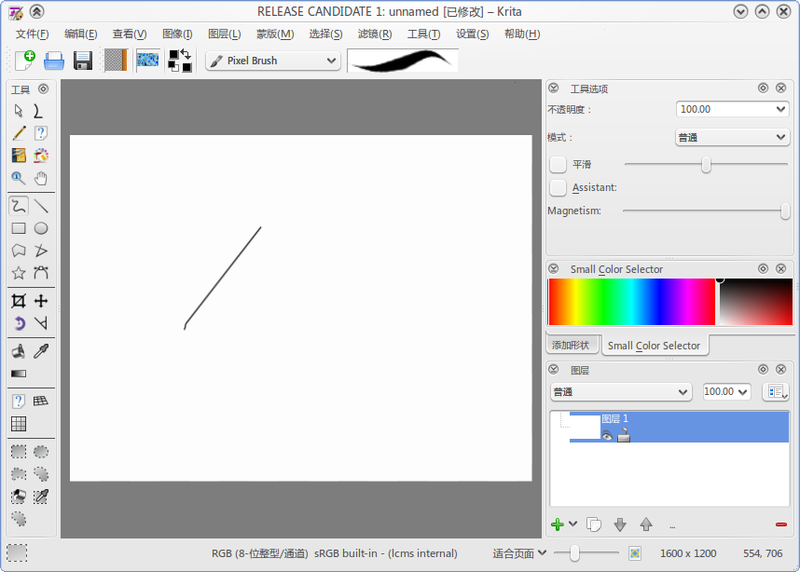
Krita is a creative application for raster images. Whether you want to create from scratch or work with existing images, Krita is for you. You can work with photos, scanned images or start for a blank slate. Krita supports most graphics tablets out of the box.