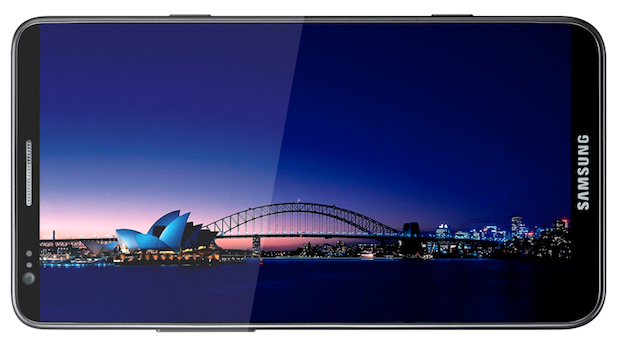
- The new Samsung Galaxy S III is basically a full-blown computer masquerading as a phone: Quad-core processor, 1080p HD screen and so on. It's an incredible phone:
http://www.bgr.com/2012/02/27/samsung-galaxy-s-iii-full-specs-1-5ghz-quad-core-1080p-display-ceramic-case/ - The Raspberry Pi went on sale yesterday. It's a credit-card sized computer you can carry around with you and plug into external monitors and keyboards. This video is a great demonstration of what it can do:
- And there are more and more of these little devices popping up all the time. "FXI is preparing to launch the Cotton Candy, a tiny computer that looks like a USB thumb drive. The device, which can run either Ubuntu or Android 4.0, has a dual-core 1.2GHz ARM Cortex-A9 CPU, 1GB of RAM, and a Mali 400MP GPU that allows it to decode high-definition video."
Looking for software that is free for students to install on any computer they have access to? I started this blog because I believe that all students and teachers should be able to use software for learning regardless of their ability to pay software licence fees. Open source software = community-owned software.
Showing posts with label mobile phones. Show all posts
Wednesday, February 29, 2012
Three ways to do away with desktop computer
Thursday, December 15, 2011
EDvent Calendar: Day 16 (QR codes)
Some fun things to do with QR Codes:
1. Help students find software:
2. Have a treasure hunt:
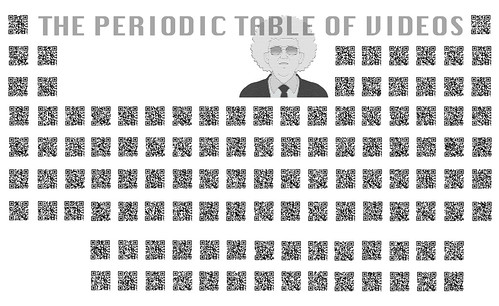
3. Learn about the periodic table:
1. Help students find software:
2. Have a treasure hunt:

3. Learn about the periodic table:
That is all.
Tuesday, December 13, 2011
EDvent Calendar: Day 14 (Augmented reality)
For those who don't know about it, augmented reality is the name given to any technology that can overlay the real world with information or data. There is huge potential for learning in Augmented Reality; if you've got a smartphone, download one of these apps and have a play. If you'd like to learn more about how students can use AR as a publication tool, go here. At the frivolous end, we can turn roadsigns into monsters:
...while at the more serious end, AR can be used to see what the world used to be like...
...before the Christchurch earthquake (CityViewAR by Hitlab):
...to bring textbooks to life (Aurasma):
...or make meaning out of the world around you (Wikitude):
...while at the more serious end, AR can be used to see what the world used to be like...
...before the Christchurch earthquake (CityViewAR by Hitlab):
...to bring textbooks to life (Aurasma):
...or make meaning out of the world around you (Wikitude):
Wednesday, November 9, 2011
Infographic: mobile phones and teenagers
This is a pretty comprehensive run-down of mobile phone use by teenagers. Some points to note:
Created by: HackCollege
- 40% use phones to do last-minute study before exams
- 88% text during class time (despite this being 'banned'- are you winning the war on this?)
- Scary: 25% have been at one end of 'sexting' or the other. Woah!
Created by: HackCollege
Tuesday, September 6, 2011
Layar AR gets a re-vamp
Layar has provided users with a very usable augmented reality platform, but its recent re-vamp offers some really nice new features. One of the most interesting is the ability to use AR to share real-world content like magazine articles with Twitter or Facebook followers. Another (less earnest but still just as much fun) application is to interact with things like cafe menus and wine lists. The only difficult part of using it seems to be choosing between the strawberry and lemon margarita during happy hour.
Sunday, September 4, 2011
Zappar: augmented reality app
Here are two examples of the augmented reality app 'Zappar': one where a 2D poster for a film turns into a 3D animated advertisement for a film:
...and another one that could get a bit out of control (if you're prone to hearing voices)...
Zappar Sign Monsters from Fraser Davidson on Vimeo.
Friday, August 26, 2011
Maharadroid
Thanks to Alan McNatty and the great people of Catalyst IT, Myportfolio.school.nz and Mahara users worldwide have the ability to upload images directly to their e-portfolio. Imagine the scenario of a student out in the world seeing and recognising an example of right angle geometry. They whip out their phone, take a photo of it, then upload it to their e-portfolio directly from the phone gallery. It's a great step forward in capturing evidence of learning out in the landscape rather than just in the classroom. Here it is in action:
Wednesday, August 17, 2011
QR Code Craziness
After a few exchanges on the MLE discussion group, I kicked myself into action to explore something I've been meaning to play with for a while: QR codes. I've been aware of them for a while, but a few exciting things have crossed my radar recently that have opened my eyes some of the possibilities they hold for learning. The first was this video about Tesco's homestore set up in a Korean subway. Commuters, too busy to visit the supermarket, can scan the QR code of a product on a billboard and have that product delivered to their home.
Cool stuff eh? So I got to thinking, why don't we do the same thing for our school? Instead of QR codes for food and household items, why don't we link the code to apps related to learning in the Android Market? Y'know, nourish the brain rather than our desires to eat processed food? I threw a few screenshots and QR codes into Gimp and knocked up this poster which is now on noticeboards around the school:
![]()
Students can scan the code of an app they like (algebra quiz, Spanish vocab, periodic table, e-portfolio uploader etc.) and be taken directly to the market so they can download it. It's difficult to make out, but down at the bottom of the page is a QR code to connect to the school wireless. Scanning the code connects a user to the wireless network (including a password if necessary) and opens a browser and prompts them to enter their username and password before heading out to the internet. QR code craziness!
More useful resources:
Cool stuff eh? So I got to thinking, why don't we do the same thing for our school? Instead of QR codes for food and household items, why don't we link the code to apps related to learning in the Android Market? Y'know, nourish the brain rather than our desires to eat processed food? I threw a few screenshots and QR codes into Gimp and knocked up this poster which is now on noticeboards around the school:
Students can scan the code of an app they like (algebra quiz, Spanish vocab, periodic table, e-portfolio uploader etc.) and be taken directly to the market so they can download it. It's difficult to make out, but down at the bottom of the page is a QR code to connect to the school wireless. Scanning the code connects a user to the wireless network (including a password if necessary) and opens a browser and prompts them to enter their username and password before heading out to the internet. QR code craziness!
More useful resources:
Edit:
For the people who have been asking for it, here's the youtube video of the poster in action:
Sunday, July 24, 2011
Hold the world in the palm of your hand
One of the winners at last year's New Zealand Open Source Awards was Ghosts in the Form of Gifts by Bronwyn Holloway-Smith.
Wouldn't it be great to be able to use public domain 3D models like these with students wherever and whenever we liked? Of course. Enter AndAR, which stands for Android Augmented Reality. This app allows anyone with an Android phone to download 3D model files and, using a black and white printed marker, use Augmented Reality to view and interact with those models. It's hard to explain just how it works, so here's a video, using one of the stock 3D models that come with the app:
See what I mean?
And as Bronwyn has very thoughtfully made her models available under a CC-BY-SA licence, anyone can download a copy of a file and use it within AndAR. So if you need to play around with an adze, a sperm whale tooth or even a giant land snail shell, now you can.
This project used Open Source machines - the RepRap - to recreate physical artefacts from Te Papa that had been lost or destroyed over the years. The finished files for the artefacts were released under a Creative Commons licence so that anyone who wished to could create their own exhibits. Most of these represented items of significance to Pacific cultures.
Wouldn't it be great to be able to use public domain 3D models like these with students wherever and whenever we liked? Of course. Enter AndAR, which stands for Android Augmented Reality. This app allows anyone with an Android phone to download 3D model files and, using a black and white printed marker, use Augmented Reality to view and interact with those models. It's hard to explain just how it works, so here's a video, using one of the stock 3D models that come with the app:
See what I mean?
And as Bronwyn has very thoughtfully made her models available under a CC-BY-SA licence, anyone can download a copy of a file and use it within AndAR. So if you need to play around with an adze, a sperm whale tooth or even a giant land snail shell, now you can.
Monday, June 20, 2011
Four cool tools for studying astronomy
Two of my favourite applications when it comes to studying the stars are Celestia and Stellarium. The former allows one to fly through the solar system following planets, asteroids or satellites, while the latter allows one to place oneself anywhere in the world to watch the constellations travel across the sky above. Stellarium also allows one to pause, fast-forward or rewind time to see what the starts do. There are some very cool videos on youtube that showcase what these two programmes can do:
There is also an increasing number of applications for Android that help people learn more about the night sky while standing in their front yard as well. Google Sky Map is great. If you want to find where Mars is, type in Mars and it will point an arrow in the right direction until you find it (video). Satellite AR is something I've only just discovered but it is no less impressive. It uses augmented reality to overlay the night sky with images and trajectories of satellites passing overhead. Here's a demo of it in action:
Monday, June 13, 2011
Wikitude AR
Okay, so here's something I've been playing with for a while: Wikitude AR. I first discovered it 18 months ago and have been working on integrating it with what we do at Albany Senior High School. It's augmented reality, which revolves around placing information into the landscape. The content is accessible with the use of a smartphone and mashes up GPS, 3G or wifi and a phone's compass. My history class had some fun placing information about the 1951 Waterfront Strike around the waterfront in Auckland. If you're interested in learning more, you can go there, and with the help of Wikitude AR learn as much as you like. Because the content is wiki-based and placed into the landscape, the only limit is a teacher's (or a class's) imagination. Here's a video of Wikitude AR being used around the Waitemata Harbour:
P.S. the bird you can hear calling in the video is the pukeko; a tenacious Aotearoa wading bird.
Saturday, May 28, 2011
Open mobile learning
I'm totally convinced about a couple of things regarding mobile phones: that I can't be without mine for very long before suffering withdrawal symptoms, and they are going to be the main way we access learning within a few years. As a result I've decided I'm going to be blogging a bit more about mobile devices and their uses within schools as we explore their use more and more. Like most things I prefer free and open (and therefore lean toward Android as an OS) but I can see that the way we use m-learning in future will probably call on the strengths of Android, iOS (and possibly even Windows 7 for Phones). Stay tuned for more info about how ASHS is using mobile phones and tablets.
Subscribe to:
Posts (Atom)